Sue Solutions › Insights › Top Tools for Care Managers
Top Tools for Care Managers in Children's Homes
The Toolkit at a Glance
When a home is busy, a single missed handover note or overdue task can ripple into something much bigger by the end of the shift. That is why the conversation around top tools for care managers is not really about software for software's sake. It is about protecting time, improving oversight and helping teams keep their attention where it belongs, on children and young people.
In children's residential care, the right tools do more than tidy up admin. They create structure in environments where safeguarding, staffing, incidents, medication, compliance and communication are all moving at once. For registered managers, responsible individuals and directors, the challenge is not choosing the most feature-heavy platform. It is choosing tools that make daily operations calmer, clearer and easier to trust.
What Care Managers Need From Their Tools
A care manager in a children's home is balancing two pressures at once. One is immediate and practical, staffing the shift, responding to incidents, checking records, following up actions and supporting the team. The other is strategic, maintaining standards, preparing for inspection, spotting patterns, reducing risk and making sure nothing is slipping through the gaps.
That is why the best systems are not generic task apps dressed up for care. They need to reflect the real world of residential childcare. If a tool cannot support safeguarding records, role-based accountability, home-level oversight and organisation-wide reporting, it may create as much work as it removes.
The strongest tools tend to do three things well. They reduce duplication, they improve visibility and they support better decision-making. If a platform only stores information but does not help managers act on it, its value is limited.
The Categories That Matter Most
What Should Each Category of Tool Cover?
When people talk about the top tools for care managers, they often jump straight to product names. It is more useful to think in categories first. Most homes do not struggle because they have no technology. They struggle because information sits across too many disconnected places.
Care Management Platforms
For most children's homes, this is the core system. A proper platform brings together daily logs, incidents, safeguarding concerns, key information, tasks, staff workflows and reporting in one place, the operational backbone that turns chaos into calm.
A specialist platform matters because children's residential care is not the same as domiciliary care, fostering or adult social care. The workflow is different, the risks are different and the inspection pressures are different. A general system may look tidy in a demo but fall short once a team is using it during real shifts, which is exactly why children's residential care software built for the sector tends to outperform anything adapted from elsewhere.
Incident and Safeguarding Recording Tools
If incident management runs through paper records, emails and memory, there is too much room for delay and inconsistency. Care managers need tools that make it easy to log concerns promptly, assign actions, monitor follow-up and review patterns over time.
Good incident tools help managers move from reactive to proactive. Instead of dealing with each event in isolation, they can identify recurring themes, times, staff pressures or placement-related triggers and respond earlier.
Compliance and Audit Tools
Inspection readiness is rarely about a last-minute scramble. It is built through consistent daily habits. Compliance tools help care managers track mandatory checks, monitor policy reviews, evidence actions and maintain a clear audit trail, which matters even more for multi-home organisations comparing standards across settings.
The strongest compliance tools do not just show whether a task is complete. They help managers understand what is overdue, what is at risk and where support is needed before a problem becomes visible to an inspector.
Staff Training and Workforce Oversight
A home can have the right policies on paper and still struggle operationally if workforce management is weak. Care managers need a clear view of training status, supervisions, appraisals, absences and staffing pressures.
Some workforce tools are excellent for HR but detached from daily care operations, which just creates another silo. Care managers benefit most when workforce oversight connects with the wider operational picture rather than sitting off to one side.
Reporting and Performance Dashboards
A care manager does not need more data for its own sake. They need usable insight. Where are incidents increasing? Which tasks are being missed? Are safeguarding actions being closed promptly? Which homes need support?
Dashboards are particularly valuable for RIs and directors who cannot be in every home every day. Used properly, they support better governance, though they are only as useful as the data behind them, so usability at the point of entry matters as much as the dashboard itself.
How to Assess the Best Tools for Your Setting
What Questions Are Worth Asking Every Time?
The best choice depends on the shape of your organisation. A single home launching for the first time has different needs from a provider overseeing ten services. A few questions are worth asking in every case.
- Does the system reflect children's residential care specifically, not care in general?
- Will staff use it properly on shift, or will it get worked around by week three?
- What level of oversight does it give each role, careworker through to director?
- Can it replace fragmented processes, or does it just add another layer on top?
Why Disconnected Tools Often Create More Pressure
It is tempting to buy separate tools for incidents, staffing, training and reporting. Sometimes that works, especially where a provider already has strong systems in place. More often, disconnected software creates blind spots.
| What a Manager Sees | Separate Tools | One Connected Platform |
|---|---|---|
| Training status | Checked in a different system, on a different day | Sitting next to the incidents it affects |
| Staffing shortages | Visible in a rota tool, invisible everywhere else | Read alongside supervision and training gaps |
| Rising incidents | A number in isolation | Connected to the staffing and training picture behind it |
A manager may know that training is overdue in one system, incidents are rising in another and staffing shortages are visible in a rota platform, but no single view connects the dots. That makes it harder to spot operational risk early, whether the setting is a children's residential home or supported accommodation carrying its own separate compliance framework.
When records, actions, compliance and oversight sit together, leaders respond faster and with more confidence. That is one reason specialist platforms are built to support the whole operational picture rather than one isolated task.
The Real Test
Every provider has heard software promises before. The more useful question is simple: does this tool give managers and staff time back without reducing quality? If it helps a manager complete oversight faster, improves accountability and cuts down duplicated admin, that time can be redirected into staff support, young people's needs and stronger leadership on the floor.
That is the standard worth holding. Not the longest feature list. Not the slickest sales pitch. A tool earns its place when it helps a home run with more clarity, less chasing and fewer avoidable surprises.
Care managers carry a huge amount of responsibility, often under relentless pressure. The right systems should feel like a steady hand in the background, helping teams stay on top of what matters, evidence good practice properly and keep standards high without making the day harder than it already is. If you are reviewing the top tools for care managers, look past the label and focus on the day-to-day reality of your home.
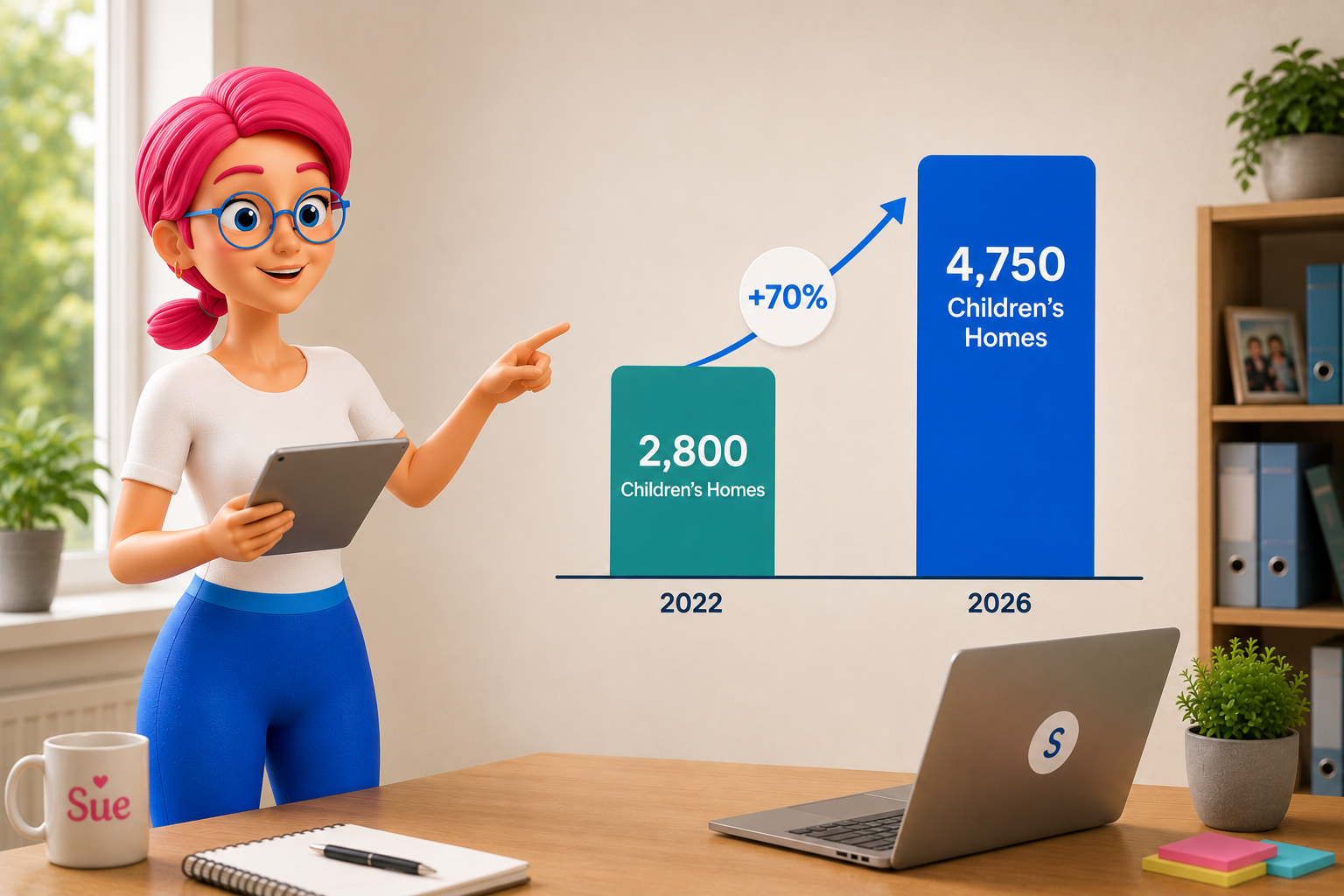
Sue Solutions brings all five categories into one operational backbone, so nothing sits in a silo. Built by people who worked in residential childcare and supports over 1,000 UK homes.
Book A Demo →Frequently Asked Questions
Five categories come up most consistently: a core care management platform, incident and safeguarding recording, compliance and audit tools, staff training and workforce oversight, and reporting dashboards. Most homes do not struggle because they have no technology. They struggle because these categories sit in disconnected places instead of one joined-up system.
A general system may look tidy in a demo but fall short once a team is using it during real shifts, because children's residential care is not the same as domiciliary care, fostering or adult social care. The workflow is different, the risks are different and the inspection pressures are different, so a platform that ignores that tends to create workarounds rather than remove them.
Separate tools can work for a while, especially where a provider already has strong individual systems, but they usually create blind spots over time. A manager may know training is overdue in one system and incidents are rising in another, with nothing connecting the two. Joining that information up is usually where the real value sits for children's homes.
Ask whether it gives managers and staff time back without reducing quality. If it helps a manager complete oversight faster, improves accountability and cuts duplicated admin, that time can go back into staff support and young people's needs. A tool with a long feature list that does not pass that test is not earning its place.